Free reading tracker for iPhone and Android
Read more. Keep what matters.
Make time for your books, save thoughts and quotes, and build your reading habit.
Coming soon · iPhone with iOS 17 or Android 8 and later
- Tracker free forever
- No account
- Works offline
- No ads

Your book gets your attention
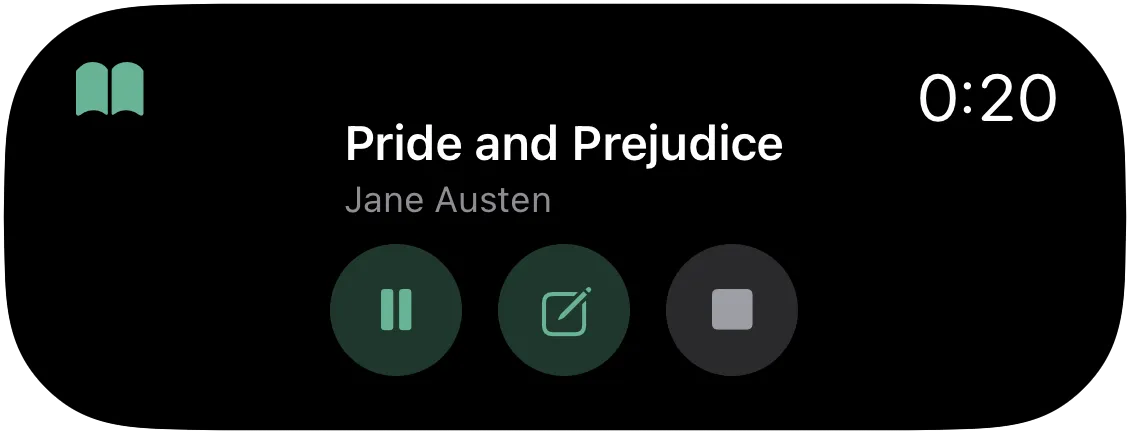
Start the timer and put your phone away. Reading time stays visible on your Lock Screen.
Choose your book
Start reading from the app, or on iPhone from the Home Screen widget.
Read at your own pace
Pause or stop on your Lock Screen, without opening the app.
See your progress
Your reading time is saved. Add your page if you want to keep your place too.
Make room for reading, every day
A daily goal and a calendar turn small reading sessions into progress you can see.
A goal that fits your day
Start with 20 minutes or choose your own goal in Settings.
Room for a missed day
Enable streak freeze to keep your streak through one missed day a week.

The thought arrives mid‑chapter — and stays
Save thoughts, quotes and ideas for each book. Open a new note while the timer runs.
Photograph a book page or add a screenshot. Pagetime recognizes the text on your phone so you can select a passage and check it before saving.


Get notified when Pagetime launches
One launch email. No newsletters or ads.
What it costs
Start free with up to 5 books and 20 page scans in total. Subscribe to remove those limits.
Free, always
$0
No account needed
- Reading timer, daily goal, streak and calendar
- Stats for this month and last month
- Up to 5 books, unlimited notes and 20 page scans in total
- Sync between your devices once you sign in
- Offline, with no ads
With the subscription
$19.99 a year
12 monthly payments: $35.88
Save 44%
or $2.99 a month. The first month of the yearly plan is free.
- Unlimited books
- Your whole reading history: all your sessions, earlier months, six months by month and your most-read books
- Your year in review
- Unlimited page scans with text recognition
- Automatic export of your notes to a folder, for Obsidian or other apps
Prices are for the US. Elsewhere they follow App Store and Google Play price tiers, and the store shows the exact amount in your currency before you buy.
Yours, and it stays yours
Text recognition on your phone
Photos of pages stay on your device. Sync transfers the recognized text, not the photo.
No ads, no data sales
We make money on the subscription, not on you. The tracker stays free and works offline.
Questions people ask before installing
Do I need an internet connection?
The timer, books, notes, text recognition and stats work offline. You need an internet connection for sync.
Does it work with paper books?
Yes. Read your own paper book or e-book, and use Pagetime to track your time and keep notes.
How do I add a book?
Tap “Add a book” and enter the title. The author and page count are optional; the page count lets you see your progress and how much is left to read.
What happens when the subscription ends?
Your books, notes, photos and reading time stay, and sync keeps working. You can add books while your library has fewer than 5. New page scans are available until you have used your 20 free scans in total; deleting notes does not restore them. Subscribe again to unlock your full stats history, year in review and folder export.
Which phone do I need?
An iPhone with iOS 17 or later, or a phone with Android 8 or later. The timer stays on the Lock Screen: on iPhones with the Dynamic Island it shows there too, and on Android it’s a notification with Pause and Stop.
When will it launch?
We’re preparing Pagetime for its App Store and Google Play launch. Leave your email and we’ll let you know when it’s available.
Reading guides
All guidesA reading timer for iPhone and Android
Track time spent reading paper books with your phone. A simple way to start, pause for breaks and keep your place, with a look at Pagetime.
Read the guideHow to save quotes from physical books on iPhone and Android
Save a passage from a paper book with your phone, keep its source and page number, and find it again. Steps for Live Text, Google Lens, Notes and Pagetime.
Read the guideHow to build a daily reading habit
Make reading part of your day with a small daily goal, a fixed moment and a book within reach. Practical steps, plus how Pagetime tracks goals and streaks.
Read the guide
Get notified when Pagetime launches
Leave your email address. We’ll send you one email on the day Pagetime launches.
You’re on the list. We’ll email you when Pagetime launches.
Check your email address.
One launch email. No newsletters or ads.
Coming soon · iPhone with iOS 17 or Android 8 and later