Guides
Is reading before bed good for sleep?
Reading is one of the most common ways to wind down at night. Whether it helps you fall asleep depends less on the book than on what you read it on and how long you keep going. Here is what research suggests and how to set up an evening routine.
Updated
Coming soon · iPhone with iOS 17 or Android 8 and later
Notify me at launch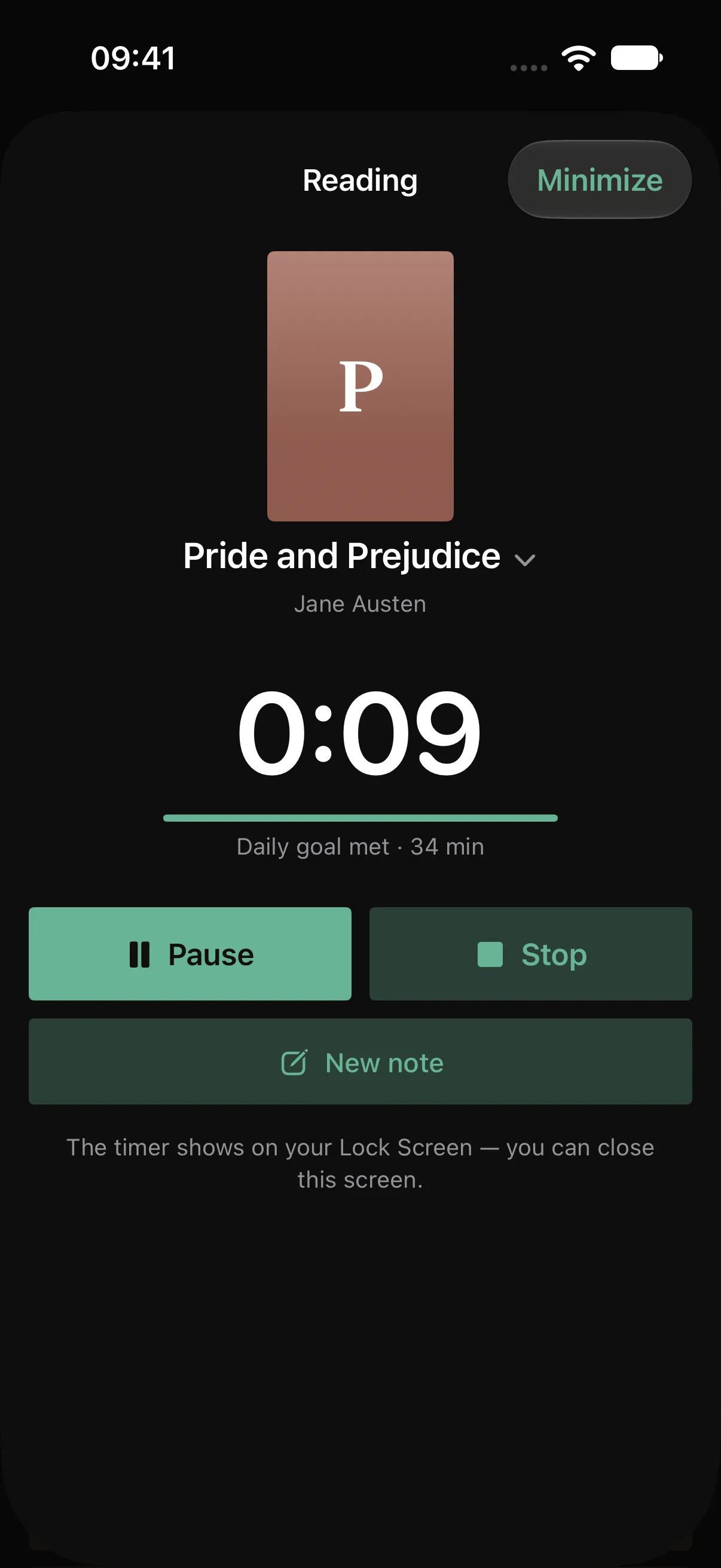
Paper and screens are not the same at night
Bright screens late in the evening can push sleep back. In a sleep-lab study, people who read on a light-emitting tablet for several hours before bed took longer to fall asleep, had less REM sleep and felt less alert the next morning than when they read a printed book. Their melatonin, a hormone that helps you fall asleep, was suppressed, and their body clock shifted later.
It was a small study, and the participants read for hours, not for ten minutes. It does not prove that a short read on your phone ruins your night. But the direction is clear: for reading in bed, paper is the safer choice.
If you read on a screen
- Turn the brightness down and use a dark theme.
- On iPhone, Night Shift in Settings, under Display & Brightness, makes the colors warmer in the evening.
- On Android, Night Light in display settings does the same; some phones give it another name, such as Eye comfort shield.
- Close everything except the book. A notification at 11 p.m. is how ten minutes of reading turns into an hour of scrolling.
Pick a stopping point
The risk with a good book at night is not the light but the plot. Decide in advance where you will stop: the end of a chapter or a set time, such as twenty minutes. If a book keeps you up long past midnight, save the last hundred pages for the weekend.
Make it a routine
Reading at the same time every evening can become a signal that the day is over. Tie it to something you already do, like brushing your teeth, and keep the book on your bedside table. The guide to building a daily reading habit has more on this, and the one on finding time to read covers the minutes during the day.
Read on paper and let Pagetime time it
With Pagetime, you can read a paper book and leave the phone dark. Start a session, lock the phone and put it face down: the timer keeps running on the Lock Screen, and Pagetime does not send its notifications while you are reading. Set the “Time to read” reminder for half an hour before bed, so it arrives while there is still time to read.
If you open Pagetime at night, the Theme setting can keep it dark whatever your phone is set to. Every session counts toward your daily goal: with the default goal of 20 minutes, twenty minutes in bed keeps your streak going.
The free version holds up to 5 books and includes 20 page scans with text recognition in total. Deleting a note does not restore a used scan. Notes and the timer work offline without an account; sync is free after signing in. A subscription removes the book and scan limits and unlocks your full stats history, year in review and folder export. Pagetime is coming to iPhone and Android; you can leave your email below to hear when it is available. Until then, a paper book on the bedside table is the best start.
This independent guide is published by Pagetime and is not authorized, sponsored or endorsed by Apple Inc. or Google LLC.
Keep reading
How to find time to read
No time to read? A few minutes here and there add up. Where to find them, how to make starting easier than scrolling and how Pagetime helps on iPhone and Android.
Read the guide
How to build a daily reading habit
Make reading part of your day with a small daily goal, a fixed moment and a book within reach. Practical steps, plus how Pagetime tracks goals and streaks.
Read the guide
How to focus while reading
Can’t concentrate on a book? Why your mind wanders while reading and practical ways to focus, from silencing your phone to reading in short blocks, with Pagetime on iPhone and Android.
Read the guide